

I was visiting a local smoothie franchise a while back, when I ran into a situation that reminded me why it’s so important for businesses to account for mobile devices when they build their websites. When you build a website, make sure that you consider how it will appear on a mobile device. As I was waiting in line, trying to decide which smoothie I wanted to order, I asked if they had nutritional information available, to which the woman behind the counter responded, “It’s on our website.” So, I pulled out my phone, opened the browser, went to the company website and saw a big gray box with a message stating “This plug-in is not supported.”
I’m sure this was not the experience the business intended for me to have when I visited their website, but they probably don’t even know that it’s happening. Why would I get a big gray box when trying to visit the website? The website (at least the homepage) was created with software called Flash. This software was intended to create animations and other cool website interactions on websites, before it was possible to do this any other way. However, as Internet web technologies have progressed, many of the things that you could only do with Flash in the past can now be done with website code.
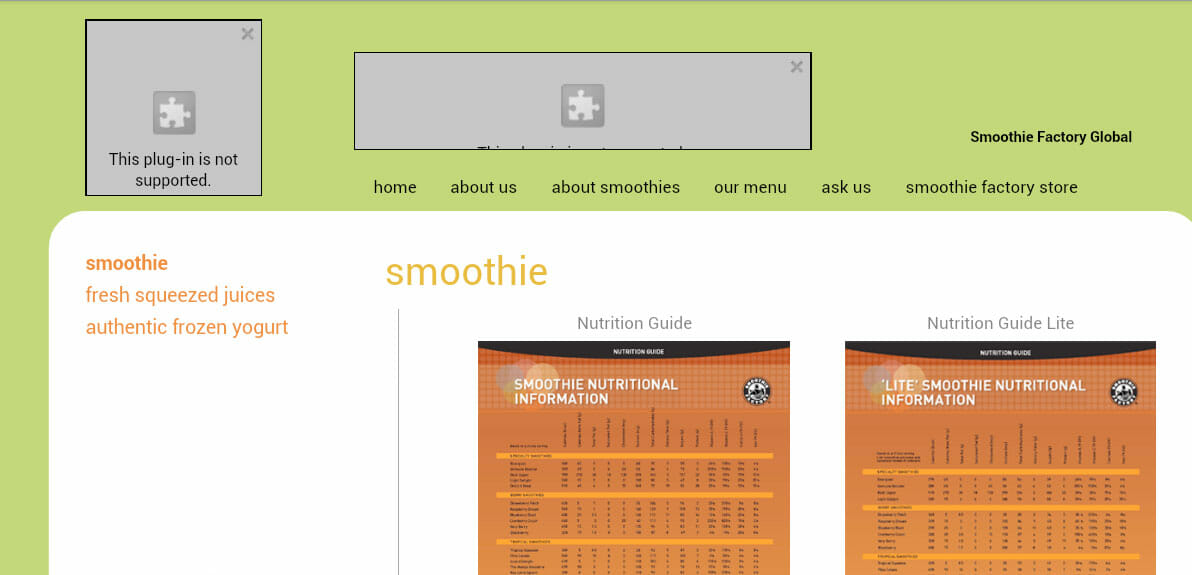 What are you usually looking for when you visit a restaurant website? One of the most common things visitors are searching for is a menu, including nutritional values. My wife had asked me to get a smoothie for her as well, so I searched online for the name of the store plus the word “menu” to see if I would be successful in finding smoothie choices. I then did the same thing with nutrition information. Google came through and showed me the pages I should go to within the website. When I went to the pages, I could see that, fortunately, they had not built the entire site with Flash, which is why Google was able to show me some information about the store. So I found the menu and nutrition information, but they hadn’t given Google much to work with. In addition to Flash content on the site, the nutrition information was in downloadable PDF documents, so I had to download an entire document and open it up with a different program on my phone in order to see the information I was looking for. Additionally, when I did a search in Google for nutrition information on one of the smoothie names, their website didn’t show up at all. All I saw were pages from calorie counter websites and the store competitors!
I was probably more persistent than an average user might have been, since I have an interest in how the company created the website and how available the information was that I was looking for. A casual visitor would probably have given up. It didn’t affect my purchase, because I was already in the store, but had I been considering options before I went, I probably would have chosen the competitor website, which looked good and gave me all the information I was looking for, compatible with my mobile device.
Usability and Business Websites
 If you go to the website on a computer instead of a mobile device, you probably have Flash installed and you see all kinds of things flying all over the page. It’s a matter of opinion whether you enjoy that type of experience, but the main question is whether it adds or detracts from the overall experience of the potential customer. The moral of the story is more than just an admonishment not to rely on Flash and PDF documents to present important information on your website. The root issue is the usability of a website. Can visitors easily access the information you are trying to present on your website, regardless of what device or browser they are using? As a business owner, you should know enough to ask the right questions when you’re building your website or having a website built. Make sure you consider all of your users when determining which technologies and visual effects to use on your website. If what you’re planning to use doesn’t serve the purpose of getting your potential customers to the information they’re looking for as quickly as possible, you should probably reconsider.