If your small business website answers the same customer questions over and over, it may be missing one of the simplest tools for improving visibility and saving time: a strong FAQ page.
A Frequently Asked Questions page is more than a list of answers. It helps potential customers find what they need faster, builds trust before they contact you, and supports your visibility in search results, including traditional search engines and AI-powered search experiences.
Today’s customers expect quick answers. They want to know your pricing, policies, services, and availability without having to call, email, or wait for a reply. If your website does not provide those answers clearly, they may move on to a competitor that does.
A well-built FAQ page helps your business stay visible, helpful, and competitive.
Try the Upgraded Thryv Marketing CenterTM
See what’s new — and why it gives your business an edge.

Key Takeaways
- FAQ pages help search engines understand your business and surface relevant answers
- They reduce repetitive customer questions by addressing concerns upfront
- FAQs improve trust by giving customers fast, clear information
- FAQ content can be repurposed into blogs, social posts, emails, and sales materials
- Website management tools make it easy to keep FAQs updated as customer needs change
Table of Contents
- What Is a FAQ Page?
- Why FAQ Pages Matter for Small Businesses
- How FAQ Pages Improve SEO and AEO
- Common Questions Every Business Should Answer
- How to Repurpose FAQ Content Across Marketing Channels
- Keeping Your FAQ Page Updated
- FAQs
- Make Your Website Work Harder for Your Business

Small Business SEO & AEO Visibility Checklist
Optimize your business for search engines, AI answers, and zero-click discovery. Use this step-by-step checklist to improve visibility, strengthen trust signals, and turn online searches into real customer inquiries.
Download the Checklist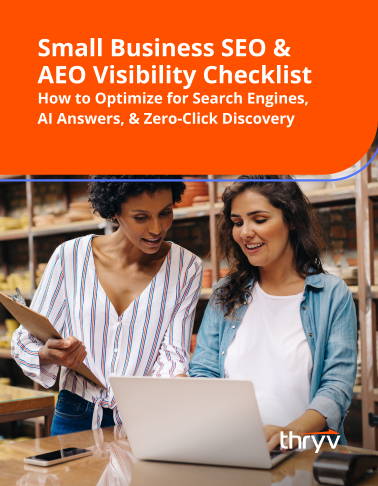
What Is a FAQ Page?
A FAQ page is a dedicated section of your website where you answer the most common questions customers ask before they buy.
These questions often cover topics like:
- Pricing
- Services offered
- Appointment scheduling
- Business hours
- Refund policies
- Payment options
- Service areas
- Response times
- Delivery timelines
- Customer support options
Instead of making customers search for answers or contact your team directly, your FAQ page gives them quick access to the information they need.
That improves the customer experience and helps your business operate more efficiently.
Why FAQ Pages Matter for Small Businesses
Small businesses often work with lean teams, limited time, and high customer expectations. A FAQ page helps reduce friction across all three.
It Saves Time for Your Team
If customers repeatedly ask the same questions, your team is spending valuable time answering information that could already live on your website.
Questions like:
- Do you offer free estimates?
- What areas do you serve?
- How long does installation take?
- Do you offer financing?
- Can I book online?
A FAQ page handles these conversations before they reach your inbox.
That means fewer repetitive calls and emails, and more time spent serving customers who are ready to buy.
It Builds Trust Before the First Conversation
Customers often decide whether they trust a business before they ever make contact.
When your website clearly answers questions, it shows transparency and professionalism. It helps customers feel informed instead of uncertain.
Clear answers remove hesitation and make it easier for people to move forward with confidence.
It Supports Better Buying Decisions
Customers want clarity before making a purchase.
If they cannot quickly find details about pricing, timing, or expectations, they may leave your site and continue searching elsewhere.
A FAQ page helps remove those barriers and supports faster decision-making.
How FAQ Pages Improve SEO and AEO
Your FAQ page is not just for customers. It also helps search engines and AI platforms understand your business.
FAQ Pages Support SEO
Search engine optimization (SEO) helps your website rank when people search for services you offer.
FAQ pages naturally include question-based searches customers already use, such as:
- How much does lawn care cost?
- Do plumbers offer emergency service?
- How long does roof replacement take?
When your website answers these questions clearly, search engines can better match your content to search intent.
This increases your chances of appearing in search results for high-intent queries.
FAQ Pages Support AEO
Answer Engine Optimization (AEO) focuses on helping your content appear in AI-generated answers, featured snippets, and voice search responses.
AI search tools prioritize concise, direct, and trustworthy answers.
FAQ pages are one of the best places to provide that format.
When your content is structured around real customer questions, it becomes easier for search engines and AI systems to identify your business as a trusted source.
That visibility matters more than ever in 2026.
Common Questions Every Business Should Answer
Not sure where to start? Begin with the questions your team hears most often.
Here are strong FAQ categories for most small businesses.
Pricing and Payment
- How much do your services cost?
- Do you offer payment plans?
- Is financing available?
- Do you provide free estimates?
Scheduling and Availability
- How do I book an appointment?
- What are your business hours?
- How far in advance should I schedule?
- Do you offer same-day service?
Service Details
- What areas do you serve?
- What is included in your service?
- How long does the process take?
- Do you offer warranties?
Policies and Support
- What is your cancellation policy?
- Do you offer refunds?
- How can I contact customer support?
- What happens if I need follow-up service?
Your FAQ page should reflect your actual customer journey, not generic website copy.
Start with real questions from phone calls, emails, reviews, and sales conversations.
Free Guide: Free Email Marketing Guide for Busy Business Owners
Master email marketing with time-saving strategies that help you promote and grow your business — no big budget required.
Download
How to Repurpose FAQ Content Across Marketing Channels
One of the biggest benefits of a FAQ page is that the content does not have to live in one place.
Each answer can support multiple marketing channels.
Turn FAQs Into Social Media Posts
Short answers to common questions make strong educational social content.
For example:
Question: Do you offer weekend appointments?
Social post: Yes, we offer weekend appointments for select services. Here is how to schedule.
These posts help build trust and reduce objections before customers contact you.
Expand FAQs Into Blog Content
Some questions deserve deeper explanations.
A short FAQ answer about pricing can become a full blog post explaining what affects cost and how customers should budget.
This creates stronger SEO opportunities while keeping your content strategy aligned with real customer needs.
Use FAQs in Email Marketing
FAQ answers also work well in nurture emails, onboarding emails, and follow-up campaigns.
If customers regularly ask the same question after booking, that answer should be included proactively in your communication flow.
Good FAQ content improves consistency across every touchpoint.
Keeping Your FAQ Page Updated
A FAQ page should never be static.
Customer expectations change. Services evolve. Policies shift.
Your FAQ page should reflect those updates regularly.
Ask your team:
- What questions are customers asking this month?
- What objections are slowing down sales?
- What confusion keeps showing up in support requests?
These answers should guide your updates.
With website management tools, small businesses can quickly add, edit, and organize FAQ content without needing major website rebuilds.
That flexibility keeps your website useful and current.
With Thryv website management tools, businesses can update FAQ pages easily as new customer questions arise, helping your site stay accurate, searchable, and customer-friendly.
FAQs
Q: Does every small business need a FAQ page?
A: Yes. Any business that receives repeated customer questions can benefit from a FAQ page. It improves customer experience, saves time, and supports stronger search visibility.
Q: How many questions should a FAQ page include?
A: Start with 8 to 15 high-value questions that customers ask most often. Quality matters more than quantity. Focus on clarity and relevance.
Q: Do FAQ pages help with Google rankings?
A: Yes. FAQ pages help support SEO by answering common search queries and improving content relevance for search engines.
Q: Can FAQ pages help with AI search results?
A: Yes. FAQ pages are excellent for AEO because they provide direct, structured answers that AI search tools and voice assistants can easily surface.
Q: How often should I update my FAQ page?
A: Review your FAQ page monthly or quarterly. Update it whenever customer questions, services, pricing, or policies change.
Q: What tools help manage FAQ pages easily?
A: Website management platforms like Thryv make it easier to update content quickly, keeping your FAQ page accurate and helpful without requiring technical expertise.
Small Business SEO &
AEO Visibility
Checklist
Optimize your business for search engines, AI answers, and zero-click discovery. Use this step-by-step checklist to improve visibility, strengthen trust signals, and turn online searches into real customer inquiries.
Make Your Website Work Harder for Your Business
A FAQ page may seem simple, but it can have a major impact on visibility, trust, and conversions.
- It helps customers find answers faster.
- It reduces unnecessary back-and-forth for your team.
- It strengthens your SEO and AEO strategy.
And it gives you reusable content that supports blogs, social media, and email marketing.
If your website is missing a FAQ page, or if your current one is outdated, now is the time to fix it. The businesses that win online are often the ones that answer customer questions first. Your FAQ page helps make sure that business is yours.