Simplifying your business.

 One software for all of your locations.

 Earn cash by referring businesses to us.



For many small businesses, a Google Business Profile is one of the first places potential customers encounter their brand. When someone searches for services nearby, such as a plumber, hair salon, or restaurant, Google often shows a local listing with business details, reviews, photos, and contact information.
Since this profile appears directly in search results and on Google Maps, it plays a major role in helping customers decide which business to contact. However, many businesses create a profile once and rarely update it again. Over time, this can lead to outdated information, missed opportunities to engage with customers, and reduced visibility in local search results.
These issues often stem from common Google Business Profile mistakes, such as incomplete descriptions, unanswered reviews, or outdated business details. Even small errors can affect how easily customers find your business online.
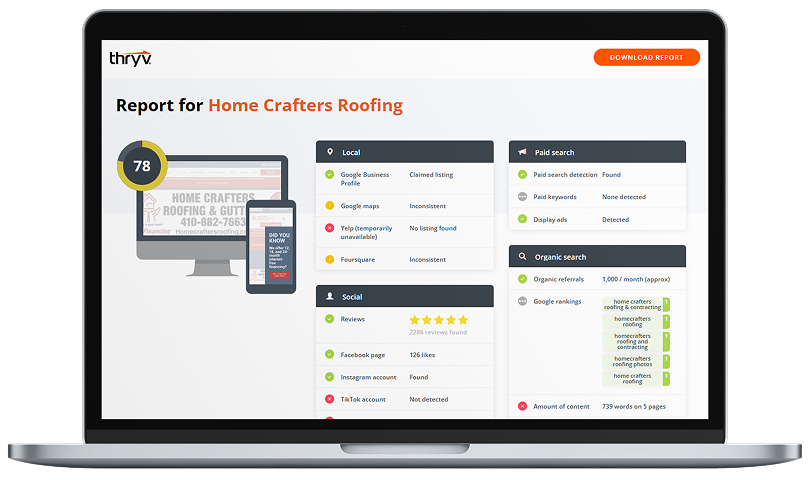
See how your business shows up online.
Enter your website URL to get your AI Digital Marketing Score, plus a personalized, downloadable report — all for free.

Maintaining your profile regularly helps improve local search visibility, which means how easily your business appears when people search for services in your area. When profiles are accurate, active, and responsive to customers, they are more likely to appear in local search results.
Spring can be a great time for a quick audit of your listing. Updating your profile ensures your information is accurate, your business looks active, and customers receive clear answers to their questions.
By identifying and fixing common Google listing issues, small businesses can improve their online presence, build customer trust, and increase the likelihood of being found by local customers ready to book a service or make a purchase.
Common Google Business Profile Mistakes
1. Incomplete business descriptions.
2. Ignoring Q&A and reviews.
3. Failing to post updates.
4. Incorrect or outdated business information.
5. Missing photos or outdated visuals.
6. Choosing the wrong business categories.
1. Incomplete business descriptions.
Your business description tells potential customers what your company does, who you serve, and what makes your services unique. When this section is incomplete or too vague, it can limit how often your business appears in relevant searches.
Google uses the information in your profile to understand when your business should appear in search results. If the description lacks details about your services or location, your listing may not show up when customers search for those terms. This can make it harder to optimize your Google Business Profile and improve your visibility in local search.
How to Fix
Update your business description so it clearly explains:
- The services or products you offer
- The area you serve
- What customers can expect from your business
Use simple, natural language that reflects how customers might search for your services. For example, a landscaping business might include phrases such as lawn care, irrigation repair, or garden maintenance.
2. Ignoring Q&A and reviews.
Customer reviews and the Google Q&A section are important signals that help potential customers decide whether to contact your business. When questions go unanswered or reviews receive no response, customers may assume the business is inactive or unresponsive.
Responding to reviews and questions shows that you value customer feedback and are actively engaged with your audience. It also allows businesses to clarify services, resolve concerns, and thank customers for positive experiences.
How to Fix
Make it a habit to check your reviews and Q&A section regularly. Respond to both positive and negative reviews professionally and helpfully.
For example:
- Thank customers who leave positive feedback
- Address concerns in negative reviews calmly and professionally
- Provide clear answers to customer questions
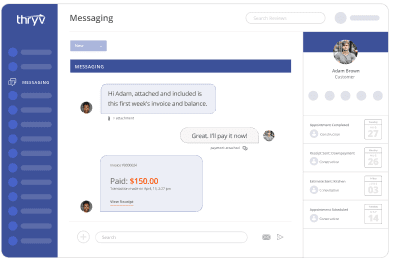
Thryv’s reputation management tool allows businesses to respond to reviews and customer questions quickly, helping ensure customer inquiries are not overlooked.
3. Failing to post updates.
Google Business Profiles allow businesses to share updates, promotions, events, and announcements directly within their listing. However, many businesses never use this feature. Posting updates signals to Google and to potential customers that your business is active. These updates can highlight seasonal promotions, new services, or important announcements. Without regular updates, your listing may appear outdated or inactive.
How to Fix
Create short posts to share useful information with customers, such as:
- Seasonal promotions or limited-time offers
- Announcements about new services
- Holiday hours or schedule changes
- Upcoming events or special deals
With Thryv, businesses can schedule regular updates to maintain profile activity, ensuring their listing stays fresh even during busy periods.
4. Incorrect or outdated business information.
One of the most common Google listing errors is outdated contact information. Incorrect hours, phone numbers, or addresses can quickly frustrate potential customers. For example, if a customer arrives during posted business hours but finds the business closed, they may lose trust in the listing. Keeping your profile accurate is essential for maintaining credibility and improving local search visibility.
How to Fix
Review your profile regularly to ensure that:
- Business hours are accurate
- Phone numbers and email addresses are correct
- Your address and service areas are up to date
If your business operates in multiple locations or has listings on several platforms, it can help to manage Google Business Profile updates alongside other listings with Thryv’s Local Business Listings Management tool to keep information consistent across the internet.

Free Guide: The Ultimate Google Business Profile Guide
Learn how to optimize your Google Business Profile to get found online, attract leads, and boost local visibility.
Download
5. Missing photos or outdated visuals.
Photos help customers quickly understand what your business offers. Listings with clear, high-quality images often attract more attention than profiles without visuals.
Photos can show:
- Your storefront or office location
- Staff members at work
- Examples of completed services
- Products or menu items
Without photos, customers may find it harder to visualize what your business offers.
How to Fix
Upload recent photos that represent your business accurately. Consider adding:
- Exterior photos so customers can recognize your location
- Interior images that show the environment
- Photos of your services or products in action
Updating photos periodically also signals that your listing is active.
6. Choosing the wrong business categories.
Google Business Profile categories help Google understand what services your business offers. If categories are too broad or incorrect, your listing may appear in the wrong searches, or not appear at all. For example, a business offering air conditioning repair may need to select categories related to HVAC services rather than general home services.
How to Fix
Review your primary and secondary categories to ensure they accurately reflect your services. Choose the most specific category available for your business type. Accurate categories help improve local SEO for small businesses, which means making it easier for your company to appear when nearby customers search for services like yours.
A Well-Maintained Profile Helps Customers Find You
Your Google Business Profile often serves as a first impression for potential customers. When someone searches for services in their area, they rely on the information shown in local listings to decide which businesses to contact. That means even small Google Business Profile mistakes – like incomplete descriptions, outdated information, or unanswered reviews – can affect whether a customer chooses your business. With a simple seasonal check-in, such as a spring refresh, small businesses can correct common Google listing errors, strengthen customer trust, and improve their chances of being discovered by local customers who are ready to book or buy.
Get Your Business
Found Online
Are you ready to get serious about your online listings?
FAQ
Q: What are common Google Business Profile mistakes?
A: Some of the most common Google Business Profile mistakes include incomplete business descriptions, outdated contact information, ignoring customer reviews or questions, and failing to post updates. Missing photos or incorrect business categories can also reduce visibility in search results. These issues can make it harder for customers to find or trust your listing.
Q: How do I fix my Google listing?
A: To fix your Google listing, start by reviewing your profile for missing or outdated information. Update your business description, confirm your contact details and hours, add recent photos, and choose accurate business categories. It’s also important to respond to reviews and answer customer questions. Regular updates help keep your profile active and visible in search results.
Q: Why is my business not showing on Google Maps?
A: A business may not appear on Google Maps if the profile is incomplete, not verified, or missing key information such as a correct address or category. Low activity on the profile can also affect visibility. Ensuring your listing is accurate and regularly updated can improve your chances of appearing in local search results.
Q: How often should I update my Google Business Profile?
A: It’s a good idea to review your profile at least once a month. Regular updates can include posting announcements, updating seasonal hours, adding new photos, or sharing promotions. Businesses that schedule regular updates to maintain profile activity are more likely to keep their listings fresh and visible to potential customers.
Q: Does responding to Google reviews help SEO?
A: Responding to reviews can help improve customer trust and engagement. While reviews themselves are not the only factor affecting search rankings, active engagement signals that your business is responsive and involved with customers. Taking time to reply thoughtfully to feedback can strengthen your online reputation and encourage more customers to interact with your listing.