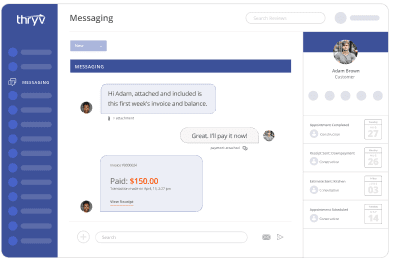
Make Every Call Count with Keap® Business Line
Stay connected and in control with a dedicated business line¹ you can access right from your personal phone.

Keap's Business Line includes:
- Toll-free phone number¹ (upgrade to a local area code for $10/month)
- The ability to access your business line¹ on your personal phone
- Business voicemail
- Separate business line¹ snooze settings
- Auto-reply messages
- Mobile and desktop access
Customers want quick replies 24/7. Keap software makes that happen — even when you’re off the clock.
Dedicated Business Line
Your business number, made mobile — no extra device needed.
Get a free dedicated phone number¹ for your business that works on your personal smartphone.

Organized Calls and texts
Separate business and personal communications.
Receive calls and text messages¹ to both your personal and business1 numbers from one phone. You'll always know which number callers are trying to reach.

Automated Features
Automatically reply when you’re busy.
Whether you’re at your desk, driving to meet a client, or at your kid’s soccer game, you can reply automatically, even when business calls are snoozed.

Voicemail, Snooze and More
Look professional and increase privacy.
Customize voicemail for your small business, and snooze business calls separately from personal do-not-disturb settings.

The Keap business phone line¹ puts the power in your hands.

Organize and access data on the go.
View all your client info, jot down notes, set up tasks, schedule appointments, and more from your mobile app.

Store every type of communication in one place.
Use your virtual phone number¹ and the Keap app to send one-to-one text messages¹, group messages², and personalized automatic replies.

Manage your business from anywhere.
Keap software seamlessly syncs your mobile app to your desktop app so you never miss an opportunity.
Results and Awards That Speak for Themselves


Get started today and claim your Keap business phone line.
Frequently Asked Questions
How does Keap Business Line (KBL) work?
When you sign up for Keap software, you can choose a phone number¹ for your business. You’ll get a toll-free number¹ for free, but for $10/month, you can choose a local number¹.
You can use your new number on mobile or desktop. To use it on your phone, download the free Keap mobile app from the Apple or Android app store and sign into your Keap account. The mobile app will automatically sync with the desktop version of your Keap app (which you can access from any web browser).
When a call comes in on your Keap Business Line, the display on your phone will clearly show that it is a business call.
In your app, you can set up automatic replies, snooze calls and text messages, take notes after calls, organize your contacts, and more!
Is Keap Business Line free?
Keap Business Line is included as part of your Keap app at no extra charge, but if you’d like a local number, it will cost $10/month.
What kind of phone numbers can I choose from?
The Keap Business Line comes with a toll-free number¹, and you may opt for a number with a local area code for an additional monthly fee of $10. You can also search for a vanity number like 480-555-DOGS.
Can I use my KBL phone number to send text messages¹?
Yes. Your Keap Business Line operates just like a normal phone number. You can send individual text messages¹ and group² text messages.
Can I access my messages and calls from my desktop?
Yes, all users can make and receive calls and text messages¹ from their desktop Keap app.
Can I snooze calls and notifications separately from my phone settings?
Yes. Go into the Comms section of the Keap app and select the three dots in the upper right corner to access the Do Not Disturb settings for your Keap Business Line. This is also where you can set automatic text replies to incoming calls and texts.
Can I block numbers and report spam calls?
Yes, you can block numbers. To report spam, you can forward messages to 7726, which is a spam-reporting service hosted by telecom carriers.
Can I dial out from my Keap Business Line?
Yes. You can call any contact in your Keap app. To manually dial a number, go to Comms and click the dots in the upper left corner of your app.
Is caller ID included?
Yes. If the caller is a contact in your Keap app, their name will appear on the incoming call display. Otherwise, just the phone number will display.
Can I import my phone’s contacts into Keap?
Yes. Once you grant permission for Keap to access your phone’s contacts, you can choose to import only certain contacts or all contacts.
Is voicemail included?
Yes. To set your custom voicemail greeting, go into the Comms section of the Keap app and select the three dots in the upper right corner. Select Calling settings, then Voicemail greeting.
Can I set up auto-replies if I miss a call or can’t respond right away?
Yes. Go into the Comms section of the Keap app and select the three dots in the upper right corner, then select Messaging settings. You can send different messages for missed calls, calls outside of your hours of availability, and calls missed while Do Not Disturb is turned on.
Can my team use my Keap Business Line?
Yes. You can allow licensed users on your Keap account to make outbound calls. Contacts will see your Keap Business Line phone number¹ on caller ID instead of the caller’s personal phone number.
1. Dedicated phone line and 1:1 text messages are only available for users in the U.S. and Canada.
2. Keap Business Line group messages are limited to 10 participants.